Instagram Downloader: How to Save Instagram Photos, Stories, Reels
Download Instagram videos, photos, stories & reels in HD quality. INSSIST Instagram downloader preserves original quality with one-click saves.

Ethan Campbell
Published 7 Sep 2025

Instagram blocks direct downloads of videos, photos, stories, and reels. INSSIST is a Chrome extension that solves this by preserving original HD quality using Instagram's own technology - giving you one-click downloads without compression or watermarks.
Why INSSIST is the Best Instagram Media Downloader
Many online Instagram downloaders compromise on quality, have limited functionality, or require complicated processes. INSSIST transforms this experience as a top instagram story downloader with its advanced pin and download system, allowing you to insta download in original quality with just one click.
Looking to download entire profiles at once? Check out How to Bulk Download Instagram Profiles to save all stories, highlights, and posts from public accounts.
Manual Screenshots vs INSSIST Downloader
| Feature | Manual Screenshots | INSSIST Downloader |
|---|---|---|
| Quality | Compressed, low resolution | Original HD quality preserved |
| Video Support | Static frames only | Full video with audio |
| Batch Downloads | One by one manually | Bulk ZIP export |
| Stories | Screenshot before expiry | Save automatically with a Story saver |
| Metadata | Lost completely | Username, caption, date preserved |
| Time Required | 2-3 minutes per item | 1 click per item |
INSSIST uses Instagram's DASH manifests to extract the highest quality video and audio streams, then merges them using FFmpeg technology. This ensures you can download instagram videos in HD that other downloaders simply can't match.
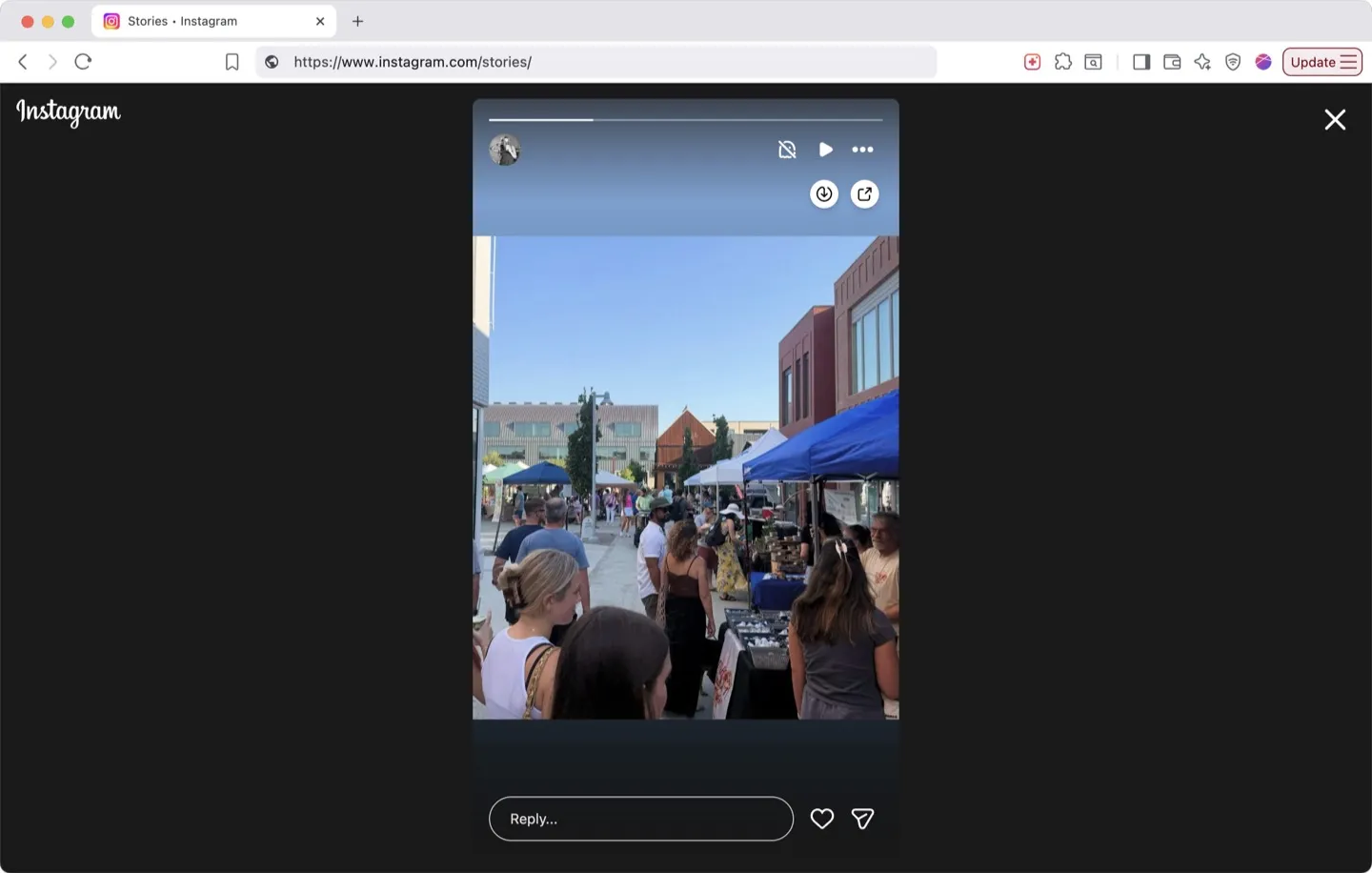
How to Download Instagram Photos and Videos: Complete Guide
Step 1: Install INSSIST Extension
- Install INSSIST from the Chrome Web Store
- Navigate to Instagram.com in your browser
- Log in to your Instagram account
Step 2: Pin Content You Want to Save
- For Posts: Hover over any photo or video and click Pin
- For Stories: Click Pin while viewing any story to save it before it expires
- For Reels: Pin directly from the Reels section
- For IGTV: Pin long-form videos with full quality
Each pinned item is automatically saved with:
- Original filename with username and date
- High-resolution images using Instagram's displayResources API
- Full HD videos with separate audio tracks merged
Step 3: Access Your Pinned Collection
- Click the INSSIST extension icon in your browser
- Navigate to the Inspiration tab in INSSIST
- View all your pinned content in an organized grid
Step 4: Download Your Content
For Individual Downloads:
- Click the download icon on any pinned item
- File saves with preserved quality and metadata
For Bulk Downloads:
- Click "GET ALL" button in the Inspiration panel
- All pinned content exports as
inspirations.zip - Each file maintains native resolution and naming
Once you've downloaded content, learn how to post to Instagram from PC or schedule Instagram posts for optimal engagement.
How to Download Instagram Content in HD Quality: Advanced Features
High-Quality Preservation Technology
INSSIST's Instagram backup tool stands out because it:
- Extracts DASH manifests for videos to get the highest available bitrate
- Processes separate video and audio streams then merges them for optimal quality
- Selects the largest image resolution from Instagram's multiple size options
- Preserves original aspect ratios without cropping or compression
Smart Content Management
The Inspiration panel provides:
- Preview thumbnails with dominant color extraction
- Username and caption display for easy identification
- Cross-session persistence - pinned content survives browser restarts
- Automatic cleanup of temporary files
Story Saver and Highlights Download
Unlike other Instagram story downloaders, INSSIST can save Instagram stories immediately when you view them, ensuring you never lose temporary content. Stories are saved with full resolution and any applied filters or effects.
For instagram highlights download, simply navigate to any profile's highlights and pin the content you want to save. Highlight videos and photos are saved in full HD without compression.
Bulk Download Made Simple
INSSIST offers two approaches to bulk downloading:
Pin & Download (this guide) - Curate content as you browse by pinning individual posts, stories, and reels. Export your collection as a ZIP file anytime. Best for building inspiration boards from multiple sources.
Bulk Profile Downloads - Enter any username and download their entire profile: all stories, highlights, and posts in one action. Best for comprehensive backups, competitor research, or archiving accounts.
How Pin & Download Works
INSSIST's "GET ALL" feature lets you download all pinned content as a single ZIP file with one click. Perfect for backing up curated collections or saving inspiration boards.
- Pin content as you browse Instagram (posts, stories, reels, highlights)
- Click "GET ALL" in the Inspiration panel when ready
- Download everything as
inspirations.zipwith original quality preserved - Each file maintains proper naming with username and date
Pro tip: Pin content from different profiles and hashtags throughout the week, then bulk export on Friday - ideal for content research and creative inspiration.
FAQ: Instagram Content Downloading
How to download Instagram stories?
Install INSSIST for easy Instagram story download - pin any story with one click, then download individually or export all as a ZIP file. The extension maintains full resolution using advanced video extraction technology.
How to download Instagram photos?
Install INSSIST Chrome extension, hover over any Instagram photo, and click Pin button. Photos are saved at maximum resolution using Instagram's displayResources API. Access your pinned photos in the Inspiration panel and download with full quality intact.
How to download Instagram reels?
Pin any Instagram reel with one click using INSSIST. The extension captures full HD video with audio using Instagram's native video streams - the same technology Instagram uses internally. Download your saved reels from the Inspiration panel in MP4 format.
How to save Instagram content for backup?
Use INSSIST's pin feature to collect content in your Inspiration panel. Click "GET ALL" to download Instagram photos and videos in bulk as a ZIP file with preserved metadata.
Can I download Instagram stories before they disappear?
Yes, INSSIST allows you to pin stories while viewing them. This saves the full-resolution story content before the 24-hour expiry, including any applied filters or effects.
Can I export Instagram reels in HD quality?
INSSIST extracts Instagram reels using advanced stream processing, providing superior quality compared to other downloaders. Videos include merged high-quality audio and video streams.
Is it legal to download Instagram content?
Download Instagram posts for backup, research, and analysis is generally permissible for personal use. However, always respect copyright laws, obtain permission for commercial use, and credit original creators when reposting.
Does INSSIST work on mobile?
No. INSSIST is a desktop browser extension, and there is no mobile app or mobile browser version. It runs in Chrome, Edge, Brave, Opera, Vivaldi and other desktop Chromium browsers.
What file formats does INSSIST save?
Images save as JPG files, videos as MP4 with audio, and bulk downloads as ZIP files. INSSIST handles instagram to mp4 conversion automatically, including reels to mp4 exports. All files maintain original Instagram quality and include descriptive filenames with username and date.
Can I organize my downloaded content?
The Inspiration panel provides visual organization with previews, usernames, and captions. Downloaded files include descriptive names making them easy to organize on your device.
What Chrome extension can download Instagram stories?
INSSIST is a Chrome extension that downloads Instagram stories in full HD quality. Simply click the Pin button while viewing any story, then download from your Inspiration panel. Stories are saved before they expire with all filters and effects preserved.
How to download Instagram reels without watermark?
INSSIST downloads Instagram reels directly from Instagram's servers without any watermarks. The extension extracts the original video file using DASH manifest technology, giving you clean HD video with merged audio.
How to save Instagram stories to computer?
Install INSSIST Chrome extension, browse to any Instagram story, and click the Pin button. The story saves to your Inspiration panel where you can download it to your computer. Works with photos, videos, and even stories with music.
What is the best Instagram video downloader extension?
INSSIST is the most comprehensive Instagram downloader extension for Chrome. Unlike web-based downloaders, it preserves original HD quality by extracting DASH manifests and merging separate video/audio streams via FFmpeg.
How to download Instagram reels with music?
INSSIST downloads Instagram reels with original audio intact. The extension extracts both video and audio streams using DASH technology, then merges them automatically. Pin any reel and download as MP4 with full music/audio preserved.
How to save Instagram stories to camera roll?
After pinning Instagram stories with INSSIST, click download to save them to your computer. You can then transfer files to your phone's camera roll via cloud storage, email, or USB. Stories are saved in MP4 (video) or JPG (photo) format.
How to bulk download Instagram photos?
For curated content: Use INSSIST's "GET ALL" button in the Inspiration panel to download all pinned content as a ZIP file with one click.
For entire profiles: Use Bulk Profile Downloads to download all posts from any account - just enter the username and select your limit (100/500/1000/all).
Conclusion
INSSIST revolutionizes how you save Instagram content by providing professional-grade downloading capabilities with one-click simplicity. Whether you want to save instagram photos, save instagram reels, or preserve stories, INSSIST ensures you get the highest quality results possible.
The advanced DASH manifest processing and FFmpeg integration mean you're getting technology that maintains Instagram's native resolution and bitrate - something most Instagram media downloaders simply cannot offer.
Remember to always respect copyright laws and use downloaded content responsibly. INSSIST is designed for legitimate purposes like backup, analysis, and inspiration - helping you build your own creative work while respecting the rights of content creators.
Latest posts
INSSIST & Instagram Insights
Learn Instagram marketing strategies and discover INSSIST features


Hanna Laas
10 Sep 2025

Ethan Campbell
1 Sep 2025

Ethan Campbell
9 Sep 2025

Hanna Laas
1 Aug 2025


Hanna Laas
1 Jul 2025

Ethan Campbell
12 Apr 2026

Supercharge your Instagram
Join over 500,000+ creators growing with INSSIST.