How to Resolve 'User Access Restricted' Error on Instagram
Step-by-step guide to fix the Instagram 'User Access Restricted' error that blocks posting and other actions.

Hanna Laas
Published 6 Apr 2026
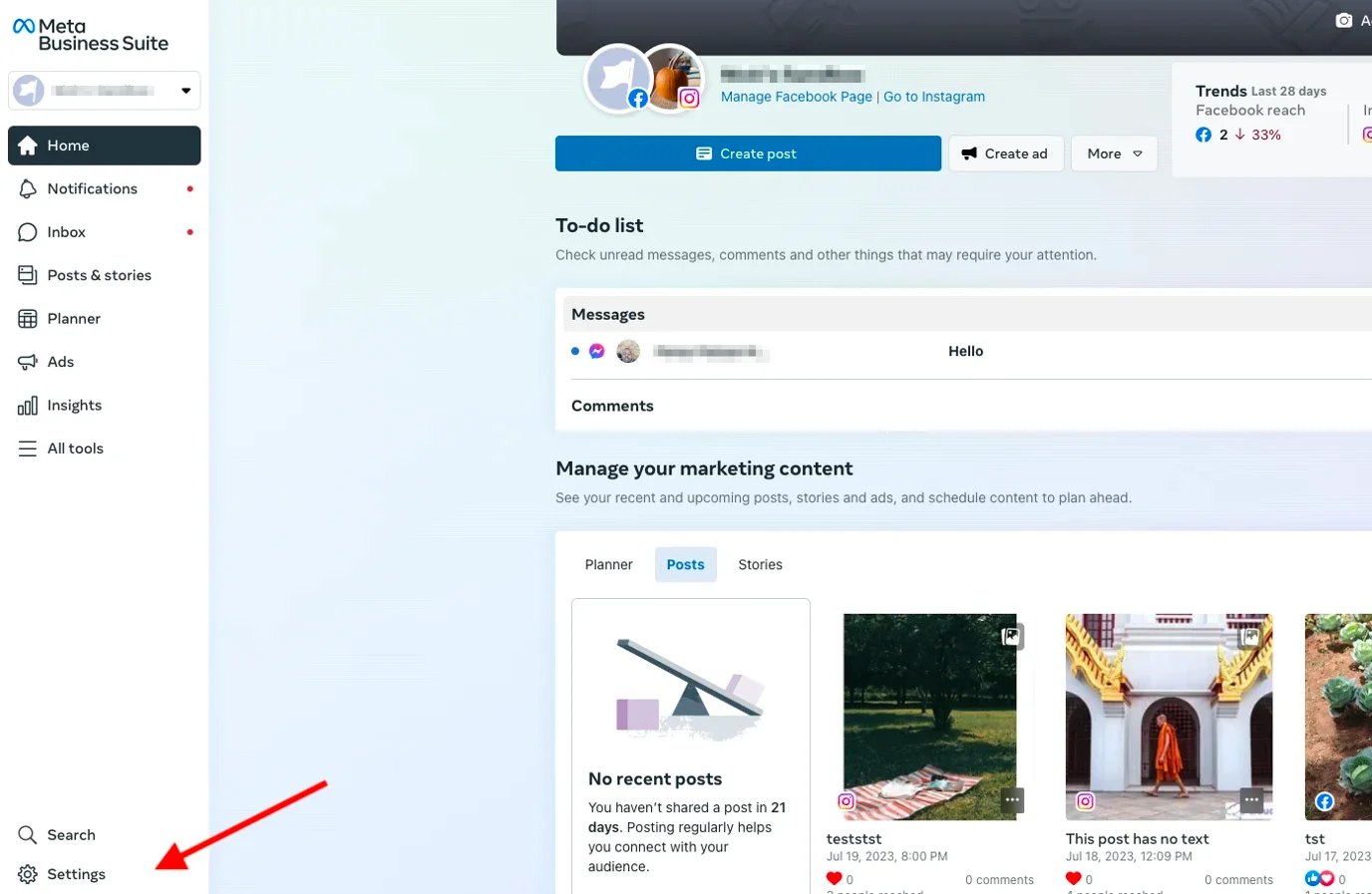
If you encounter a "User Access Restricted" error when posting to Instagram, it means Meta has temporarily restricted your account. This typically happens when an Instagram Professional account has been inactive, checkpointed, or flagged by Instagram's safety systems. Follow the steps below to resolve it.
Step 1: Log Into Instagram on the Web
Go to instagram.com/accounts/login and sign in with the affected account.
Important: You must log in through the web browser — logging into the mobile app will not fix this error.
Step 2: Complete the Requested Information
Once logged in, Instagram will display a screen asking you to provide missing information. Fill in all the required fields.
Important: If Instagram asks for a birth date, make sure to enter a date that shows you are over 13 years old.
Step 3: Verify via Meta Business Suite
If the steps above don't resolve the issue, try the following:
- Go to business.facebook.com and switch to the Facebook Page connected to your Instagram account. Click Settings.
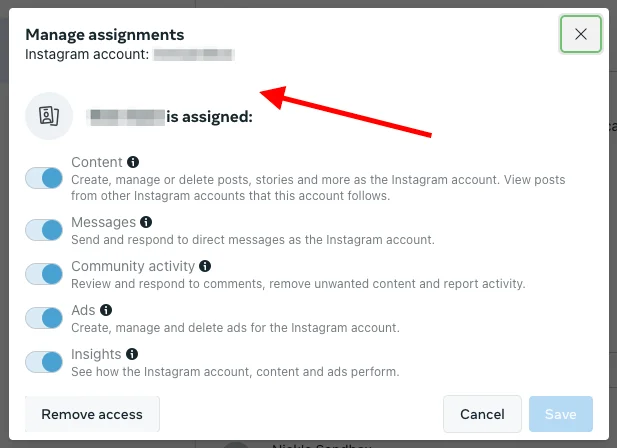
- Click your user account and select Manage next to the Instagram account.
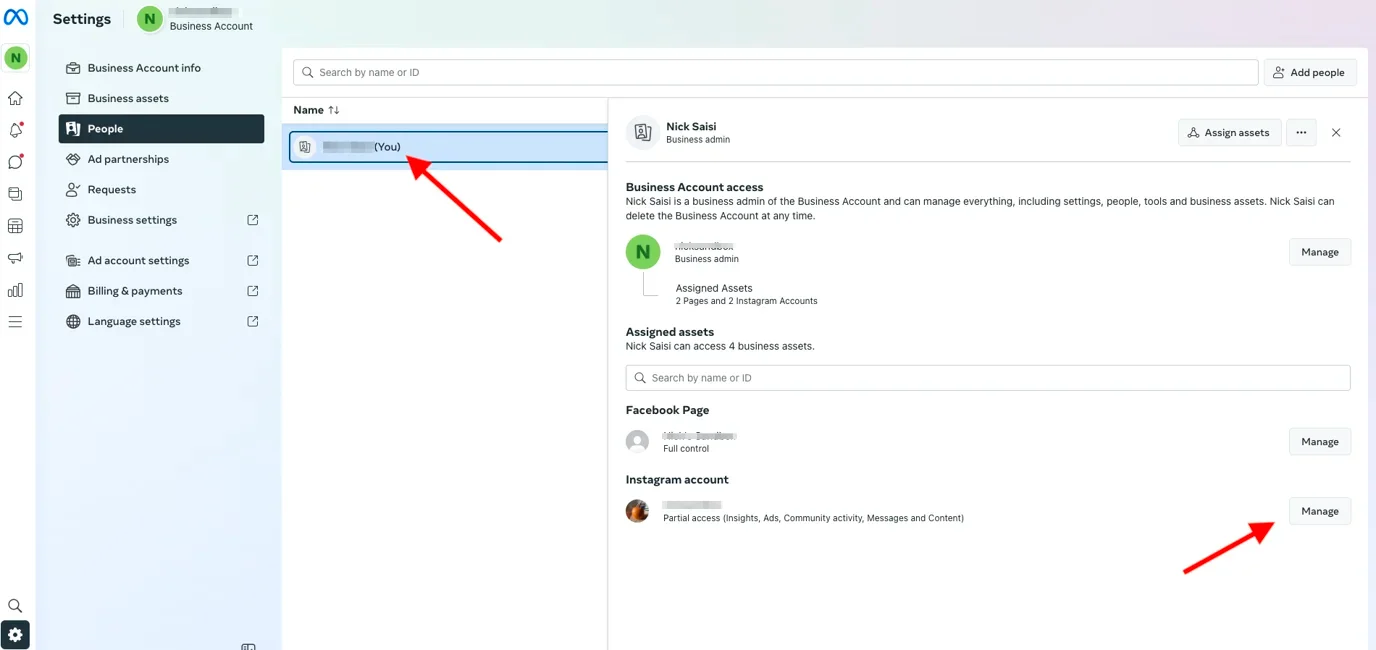
- Complete any login or verification requests that Meta displays.
Still Having Issues?
If the problem persists after completing all steps above, wait 24-48 hours and try again — Instagram restrictions are often temporary. You can also try logging out and back into your Instagram account.
If nothing helps, contact us and we'll help you troubleshoot further.
Latest posts
INSSIST & Instagram Insights
Learn Instagram marketing strategies and discover INSSIST features

Hanna Laas
10 Sep 2025


Ethan Campbell
1 Sep 2025

Ethan Campbell
9 Sep 2025

Hanna Laas
1 Aug 2025


Hanna Laas
1 Jul 2025

Ethan Campbell
12 Apr 2026

Supercharge your Instagram
Join over 500,000+ creators growing with INSSIST.